Edit Existing Users as a White Label Administrator

Add an existing user to another customer account when managing multiple customers as a White Label Administrator.

White Label Administrators can add an existing user to another customer account. This is useful when an IT contact or administrator manages multiple customer accounts.
Add an existing user to a customer account

  1. Log in to your 2talk account.
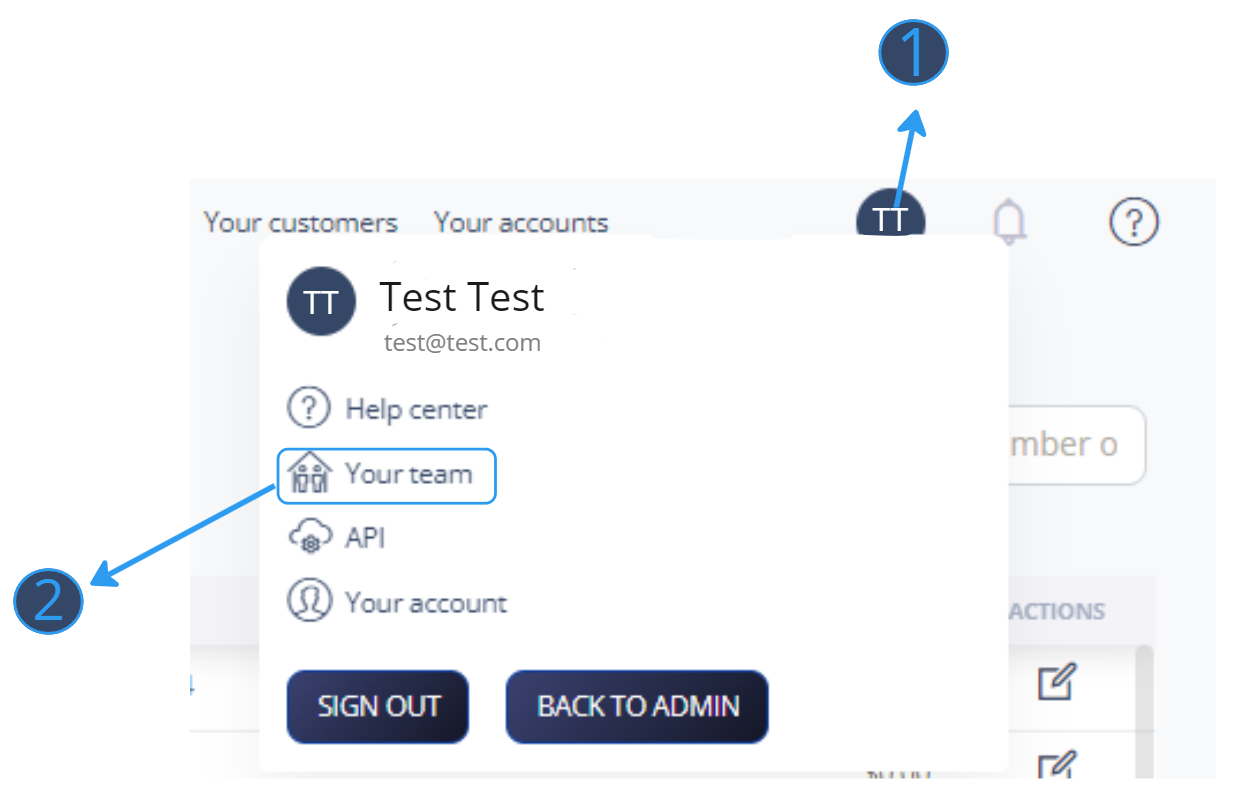
  2. Open your account menu and select Your Team.
  3. Find the user you want to update.
  4. Open the user edit options.
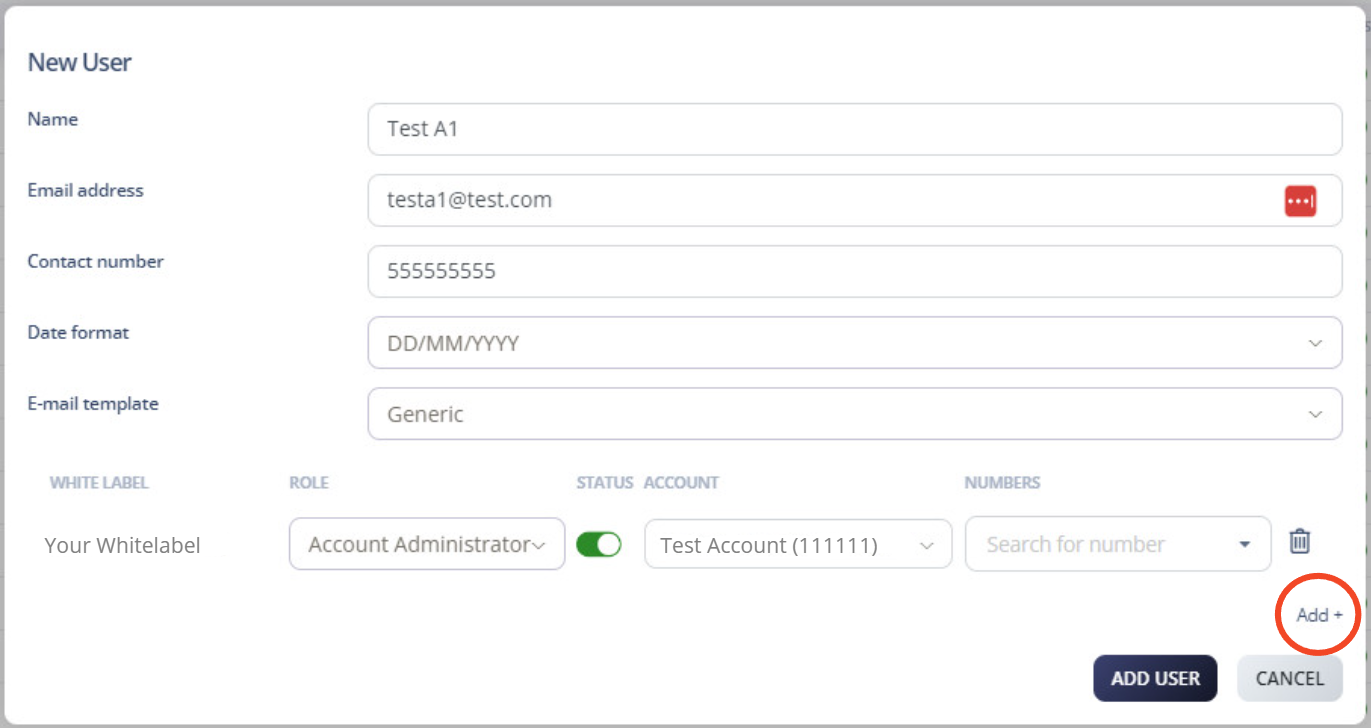
  5. Select Add.

Add account to existing user

Choose the role and customer

  1. Select the role you want to assign to this user.
  2. Search for the customer by name or account number.
  3. Select Add User.

Your Team menu

Available roles

  • Account Administrator
  • White Label
  • Tech
  • Conference
  • Standard User

After saving, the user has access to the selected customer account with the role you assigned.

Table of Contents