Mobile App
Experience ultimate mobility
Learn more

Mobile App
Experience ultimate mobility
Cloud Unified Communications and VoIP Calling
Call Screening allows users to screen incoming calls before answering by hearing the caller’s name or number announcement. Furthermore, this intelligent filtering system provides options to accept, reject, or send calls to voicemail. Because privacy matters, users can configure screening based on caller identification and customized screening criteria.
Start by logging into the 2talk portal. Subsequently, go to SwitchBoard | Inbound | Call Screening Options section.
Call Screening Settings
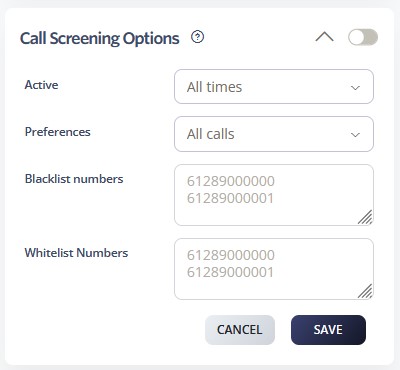
Call Screening Options function at priority level 8. Consequently, users can screen and verify incoming callers before routing.
Conference → Rejection Strategy → Auto Attendant → Call Queue → Sim Ring → Do Not Disturb → Preserve CLI → Call Screening
Learn more about Call Flow Priority →
