Configure Your vFax Settings

Configure vFax recipients, sender permissions, file formats, and other fax number settings.

vFax settings control who receives inbound faxes, who is allowed to send faxes from the number, and what file format recipients receive.
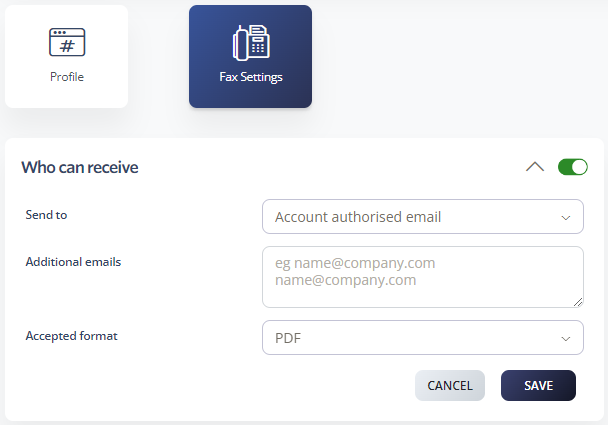
Configure who can receive faxes

  1. Log in to your 2talk account.
  2. Go to Switchboard.
  3. Select the fax number.
  4. Select Fax Settings > Who Can Receive.
  5. Choose whether faxes should go to the account-authorized email address, additional email addresses, or both.
  6. Enter any additional email addresses that should receive faxes. Put each email address on a separate line.
  7. Choose the delivery format. Available formats include PDF, JPEG, PostScript, and TIFF.
  8. Click Save.

Who can receive fax settings

Configure who can send faxes

  1. Log in to your 2talk account.
  2. Go to Switchboard.
  3. Select the fax number.
  4. Select Fax Settings > Who Can Send.
  5. Add each email address that is authorized to send faxes from this number.
  6. Choose the retry attempt time and attempt frequency.
  7. Enter a default subject line if you want one.
  8. Click Save.

Who can send fax settings

Table of Contents