Fax Profile Settings

Update fax profile settings, including caller name and line password, for a 2talk fax number.

Fax profile settings let you update the caller name for a fax number and set a password for the line.

Set the caller name

  1. Log in to your 2talk account.
  2. Go to Switchboard.
  3. Select the fax number.
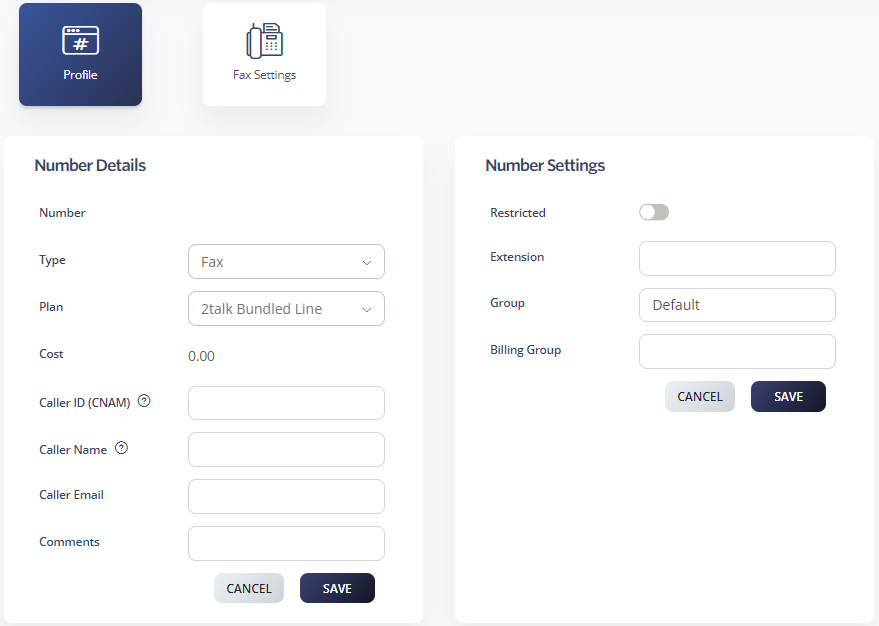
  4. Select Profile > Number Details.
  5. Enter the Caller Name.
  6. Click Save.

Set a line password

Use a unique, strong password for each line to help protect the account from unauthorized use.
  1. Log in to your 2talk account.
  2. Go to Switchboard.
  3. Select the fax number.
  4. Select Profile > Number Settings.
  5. Turn on Restricted and enter a strong password. Use at least 8 characters, including lowercase letters, uppercase letters, and numbers.
  6. Click Save.

Fax profile settings

Table of Contents