Mobile App
Experience ultimate mobility
Learn more

Mobile App
Experience ultimate mobility
Cloud Communications and VoIP Calling
Yealink Device Provisioning lets 2talk push configuration to supported Yealink phones. After the phone is added and rebooted, it downloads the assigned number and feature settings automatically.
Restart the phone after saving. Future changes made in Device Provisioning may restart the phone automatically.
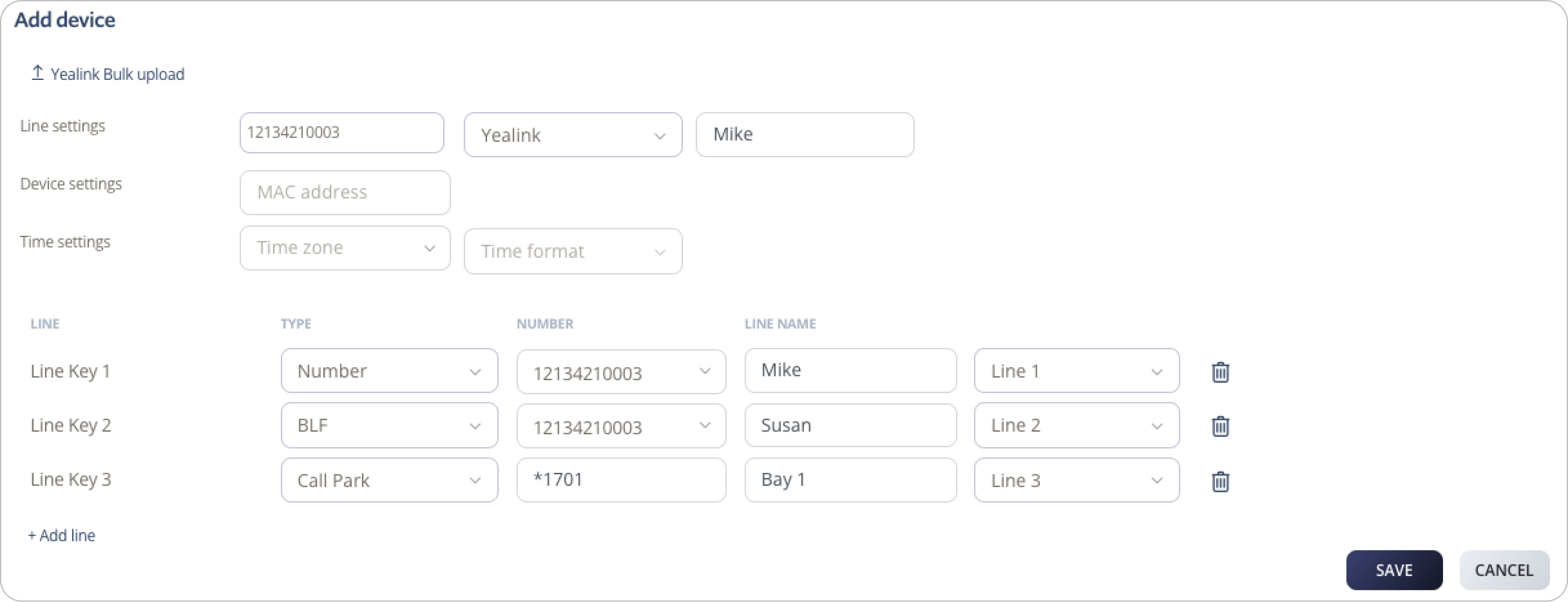
Use bulk upload when you need to provision multiple Yealink phones from a spreadsheet.
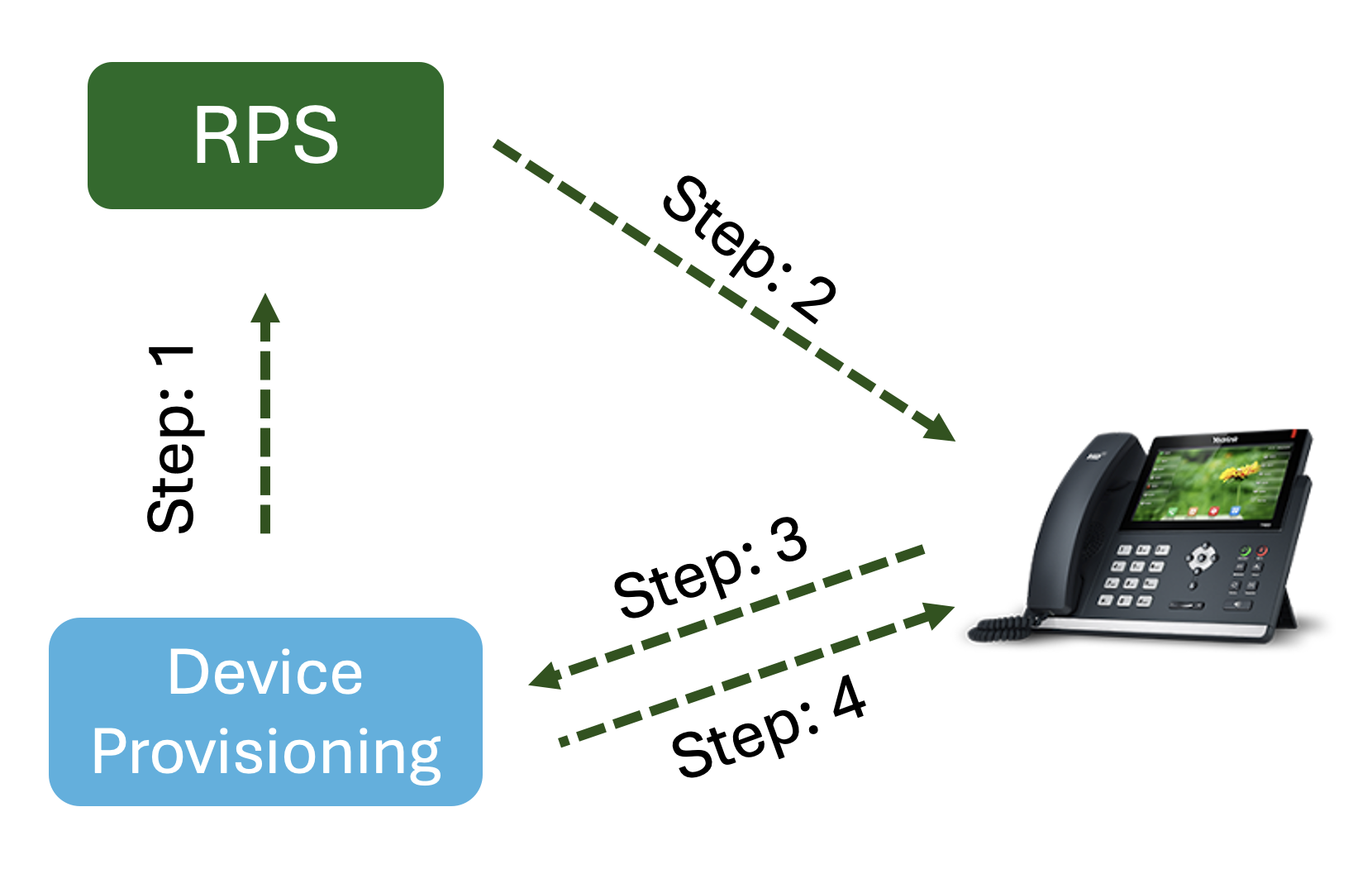
2talk integrates with Yealink RPS. When a phone’s MAC address is added to Device Provisioning, Yealink can redirect the phone to the 2talk provisioning URL after reboot. The phone then downloads its assigned configuration.