Set Up a Grandstream Phone Manually

Manually register a Grandstream GRP handset or ATA to 2talk using SIP account and server settings.

Use this guide to manually register a Grandstream GRP handset or ATA to 2talk. If your device supports 2talk device provisioning, use provisioning instead because it is faster and easier to maintain.
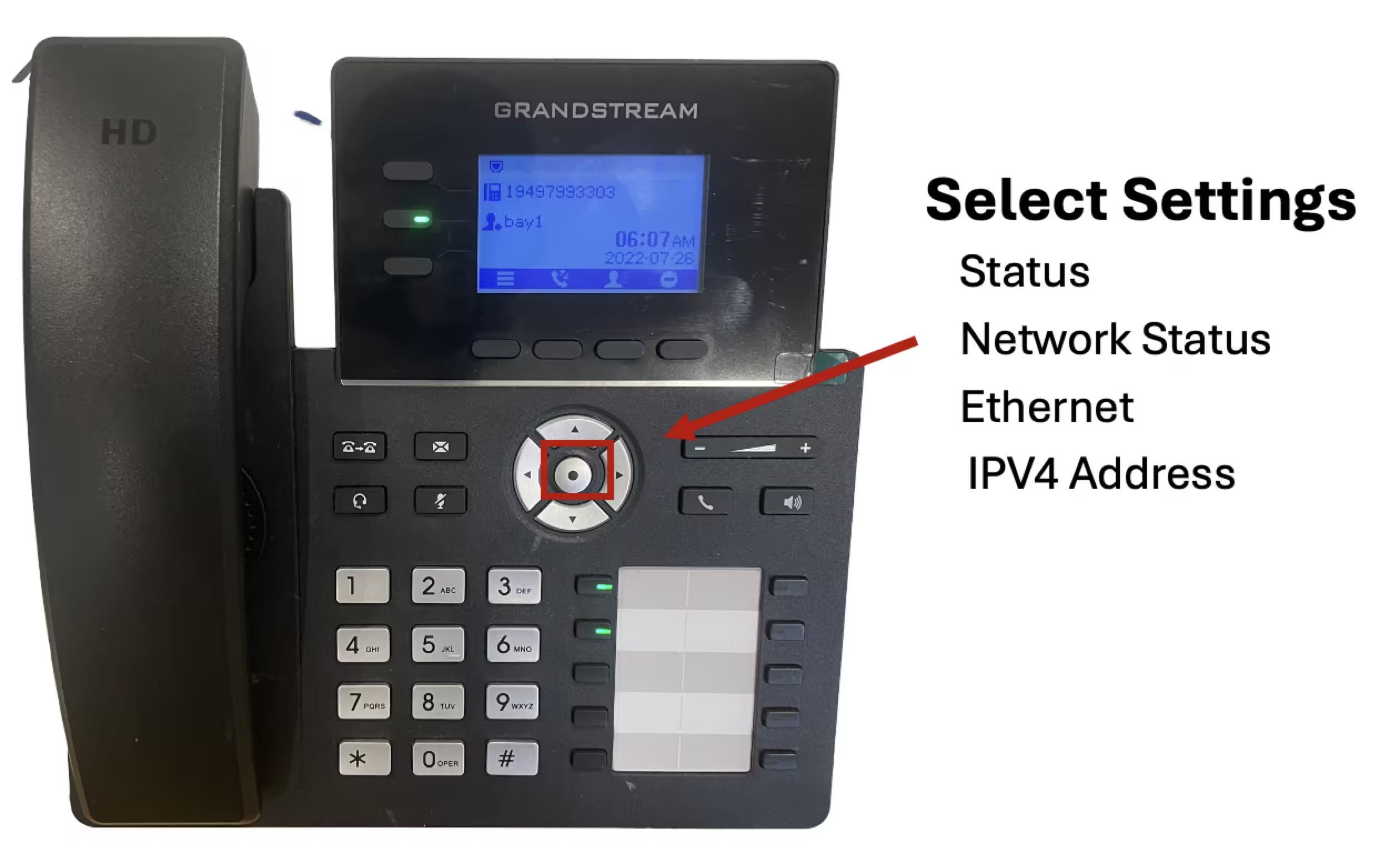
Find the device IP address

  1. Open the device menu and go to Status > Network Status.
  2. Copy the IPv4 address.
  3. Enter the IP address in a browser on the same network.
  4. Sign in to the Grandstream web interface.

Account settings

  • Activate Account: Enabled
  • Account Name: A descriptive name, such as the user or location
  • SIP User ID: Full 2talk phone number
  • SIP Auth ID: Full 2talk phone number
  • SIP Server: plus.2talk.com
  • Password: The SIP password for the number

SIP settings

  • SIP Registration: Enabled
  • SIP Transport: TLS
  • Local SIP Port: 5061
  • Registration Expiration: 180 seconds, if available

Save the changes and reboot the device. After the reboot, confirm that the account shows as registered.

Table of Contents