Yealink Electronic Hook Switch (EHS) for Wireless Headset Use

Install a Yealink EHS adapter so compatible wireless headsets can answer and end calls from the headset.

A Yealink Electronic Hook Switch (EHS) adapter lets compatible wireless headsets answer and end calls from the headset instead of the phone.
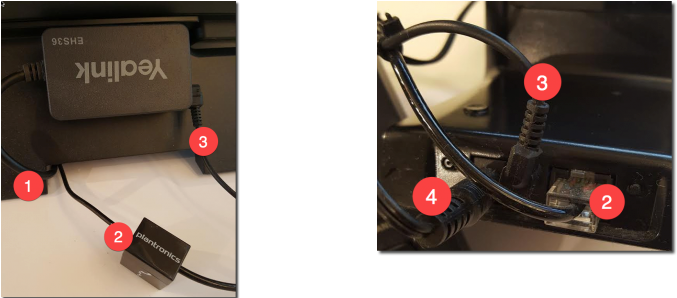
Install the EHS adapter

  1. Connect the EHS extension lead to the phone’s expansion port.
  2. Connect the headset cable to the phone and to the headset base station.
  3. Connect the EHS adapter to the headset base station.
  4. Connect power to the headset base station.
  5. Test answering and ending a call from the headset.

Yealink EHS wiring

Table of Contents