Factory Reset a Yealink Phone

Factory reset a Yealink phone when old settings or provisioning problems require a clean configuration.

Factory reset a Yealink phone when it has old configuration, unknown settings, or provisioning problems that cannot be fixed through normal setup.

Warning: A factory reset removes existing phone settings.
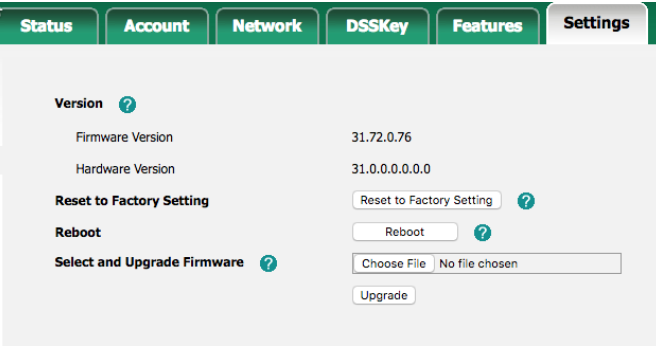
Factory reset from the phone

  1. Make sure the phone is powered on.
  2. Press and hold the OK button for about 10 seconds.
  3. Confirm the reset when prompted.
  4. Wait for the phone to reboot and return to factory defaults.

Upgrade firmware from the web interface

  1. Press OK on the phone to display its IP address.
  2. Enter the IP address in a browser on the same network.
  3. Sign in with the phone admin username and password. The default is often admin / admin.
  4. Go to Settings > Upgrade.
  5. Select the firmware file and start the upgrade.

Yealink factory reset

Table of Contents