Mobile App
Experience ultimate mobility
Learn more

Mobile App
Experience ultimate mobility
Cloud Communications and VoIP Calling
Caller ID & Privacy controls what number recipients see when you make outbound calls from a 2talk number. You can show your own number, show another number on your account, or block your caller ID.
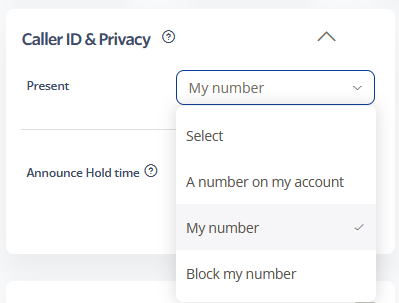
The number you present can also affect the caller ID name shown to recipients, depending on carrier lookup behavior and the number configuration.
You can enable an announcement that plays back when you dial out using shortcode keys such as *65 or *67. This is useful if you switch between showing your number and blocking your caller ID.


