Mobile App
Experience ultimate mobility
Learn more

Mobile App
Experience ultimate mobility
Cloud Communications and VoIP Calling
To support E911 emergency calling, 2talk needs a verified service address on your account, tied to one or more of your phone numbers. We publish that address to our upstream providers so the correct location is delivered to emergency dispatchers when anyone on your account dials 911.
Important: calls placed to 911 from a number without a registered emergency address can incur substantial call costs and may not reach the correct emergency dispatcher. Configure E911 before you start making calls.
If your address isn’t accepted and no suggestions appear, look it up with the USPS Address Lookup Tool and enter the address using USPS abbreviations and formatting. If you still have trouble, contact 2talk Support.
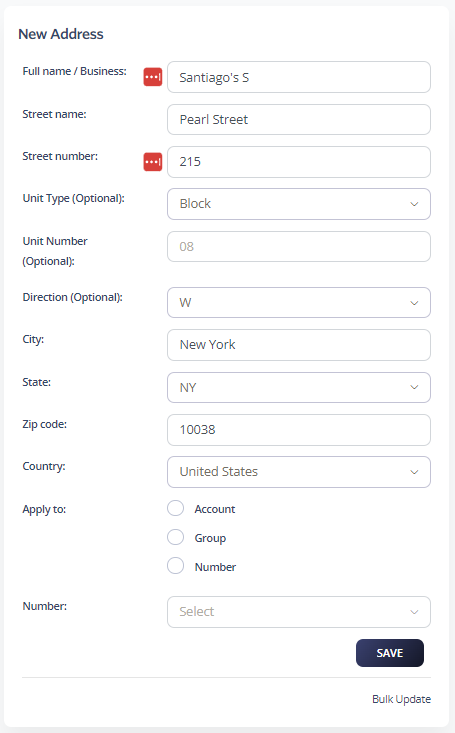
The Apply to option controls which numbers use this address:
Once saved, your E911 settings appear like the example below.

Dial 933 from any desk phone or softphone on the account. An automated voice plays back the calling number and the registered E911 address for that number, so you can confirm the right address is on file without contacting emergency services.
All 911 (and 933) calls appear in your Billing Records like any other call, with the date, time, and originating number.

