Extension Dialing

Set up extension dialing so users can call or transfer to other numbers on the same account with short extensions.

Extension dialing lets users call or transfer to another number on the same 2talk account by dialing a short internal extension instead of the full phone number.
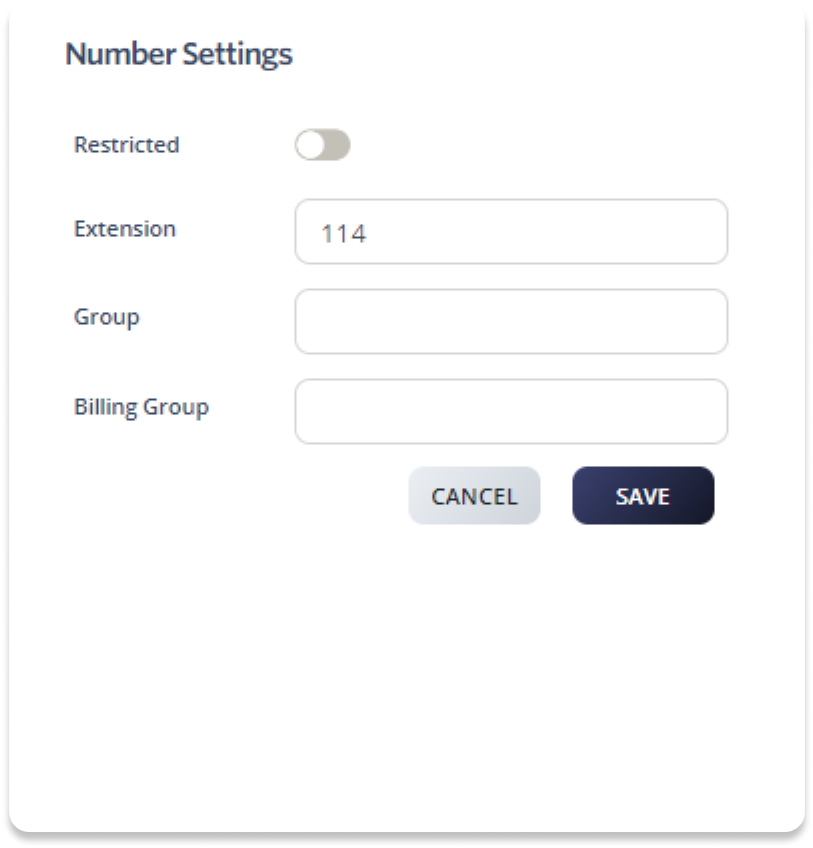
Set an extension for a number

  1. Log in to your 2talk account.
  2. Go to Switchboard.
  3. Select the number you want to configure.
  4. Go to Profile > Number Settings.
  5. Enter a three-digit extension in the Extension field.
  6. Click Save.

Allow extension dialing from an auto attendant

If your main number uses an auto attendant, callers can dial an extension during the greeting and be transferred directly to the matching user or number.

  1. Log in to your 2talk account.
  2. Go to Switchboard and select the main number.
  3. Go to Inbound > Auto Attendant.
  4. Turn on Extension Dialing.
  5. Click Save.

Table of Contents