Mobile App
Experience ultimate mobility
Learn more

Mobile App
Experience ultimate mobility
Cloud Communications and VoIP Calling
One-way audio happens when one party can hear the other, but audio does not work in both directions. Common causes include SIP ALG, codec mismatch, SDP negotiation problems, and firewall or NAT rules blocking RTP media.
Dial *38 from the affected device. The echo test plays your voice back to you.
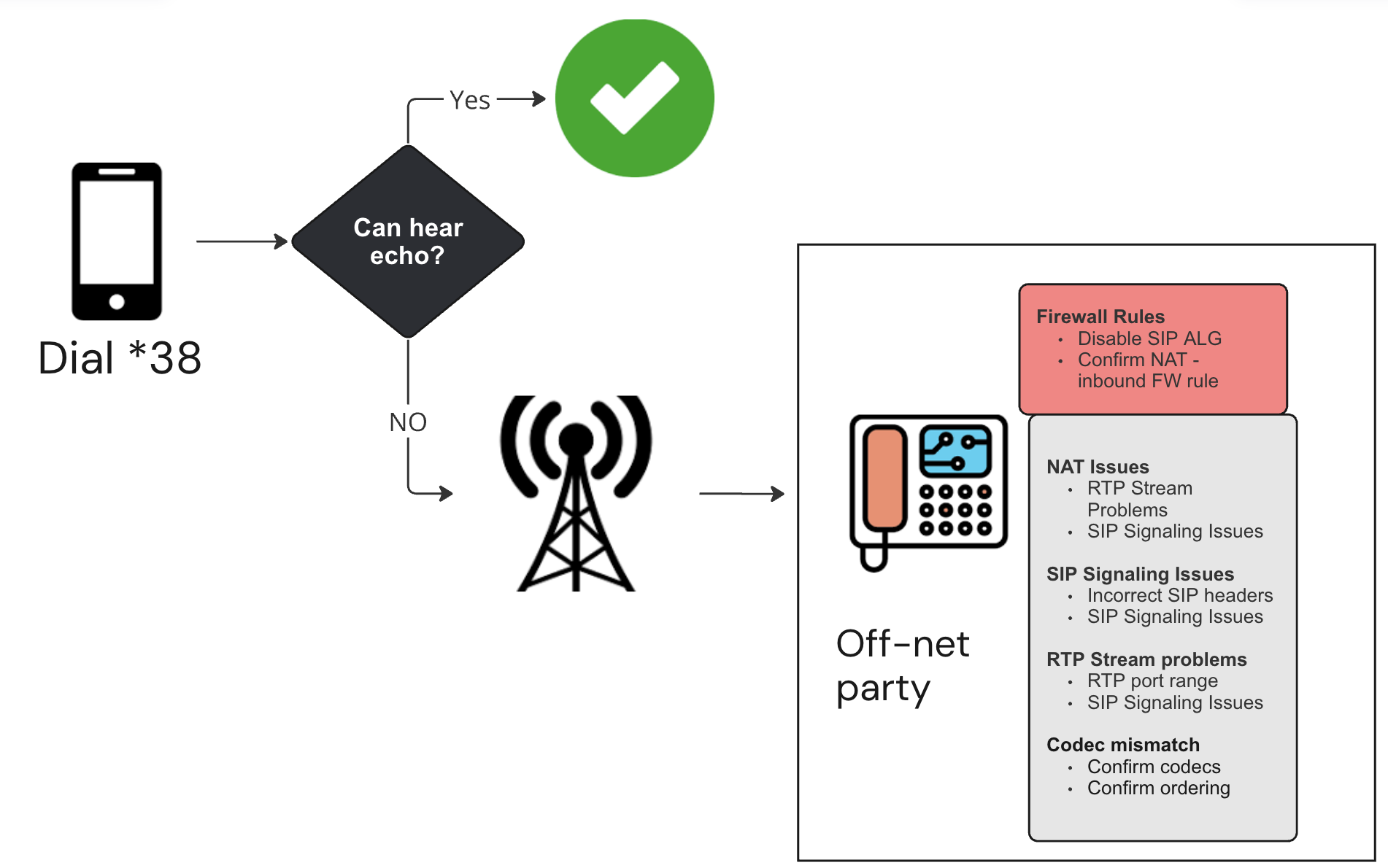
For U.S. calls, place PCMU (G.711 u-law) first in the codec list. PCMA, G.722, and G.729 may also be supported, but keeping the codec list simple helps avoid negotiation issues.

SIP ALG can rewrite SIP packets incorrectly and cause one-way audio. Disable SIP ALG, SIP Transformations, or SIP Helper on the router or firewall.
If you cannot disable SIP ALG, try TLS on port 5061 so signaling cannot be rewritten by the firewall.
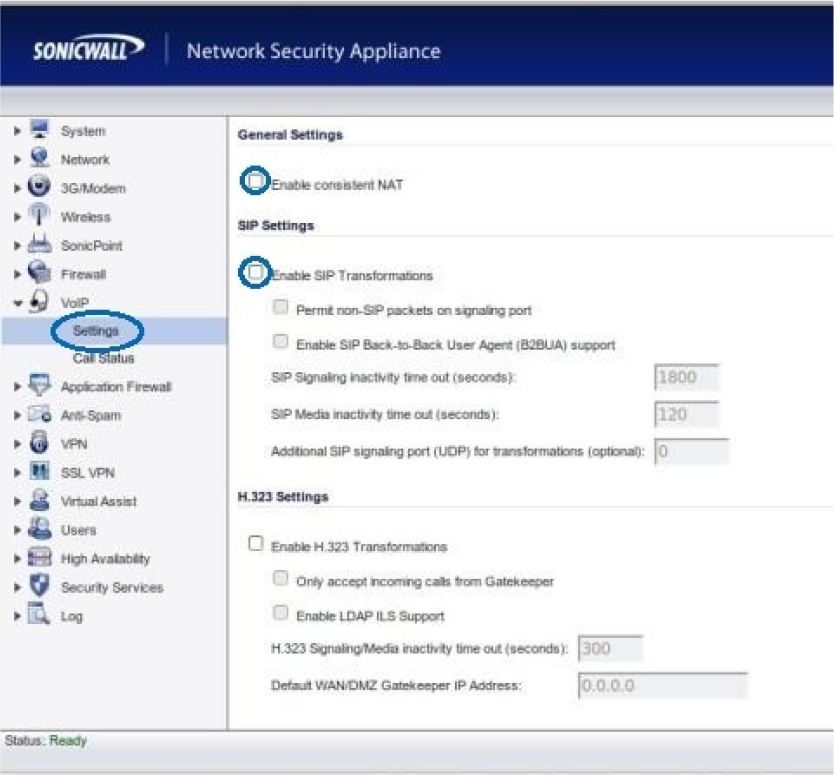
SDP tells each side which codec and RTP media port to use. If the devices negotiate incompatible codecs or media ports, the call may connect without two-way audio.
m=audio 6000 RTP/AVP 0 8 18 101 a=rtpmap:0 PCMU/8000 a=rtpmap:8 PCMA/8000 a=rtpmap:18 G729/8000 a=rtpmap:101 telephone-event/8000Make sure the firewall allows return RTP media traffic. For 2talk-side media, the common RTP range is UDP 30000-40000. Also enable NAT keep-alive on the phone or PBX.
