Registration and Peering Explained

Compare SIP registration and SIP peering to choose how phones, ATAs, softphones, or PBX systems connect to 2talk.

2talk supports two common ways to connect SIP equipment: SIP registration and SIP peering. The right option depends on how your device or PBX authenticates with 2talk.

SIP registration

SIP registration uses a proxy, username, and password. Use this option for most IP phones, ATAs, softphones, and PBX systems that register individual numbers.
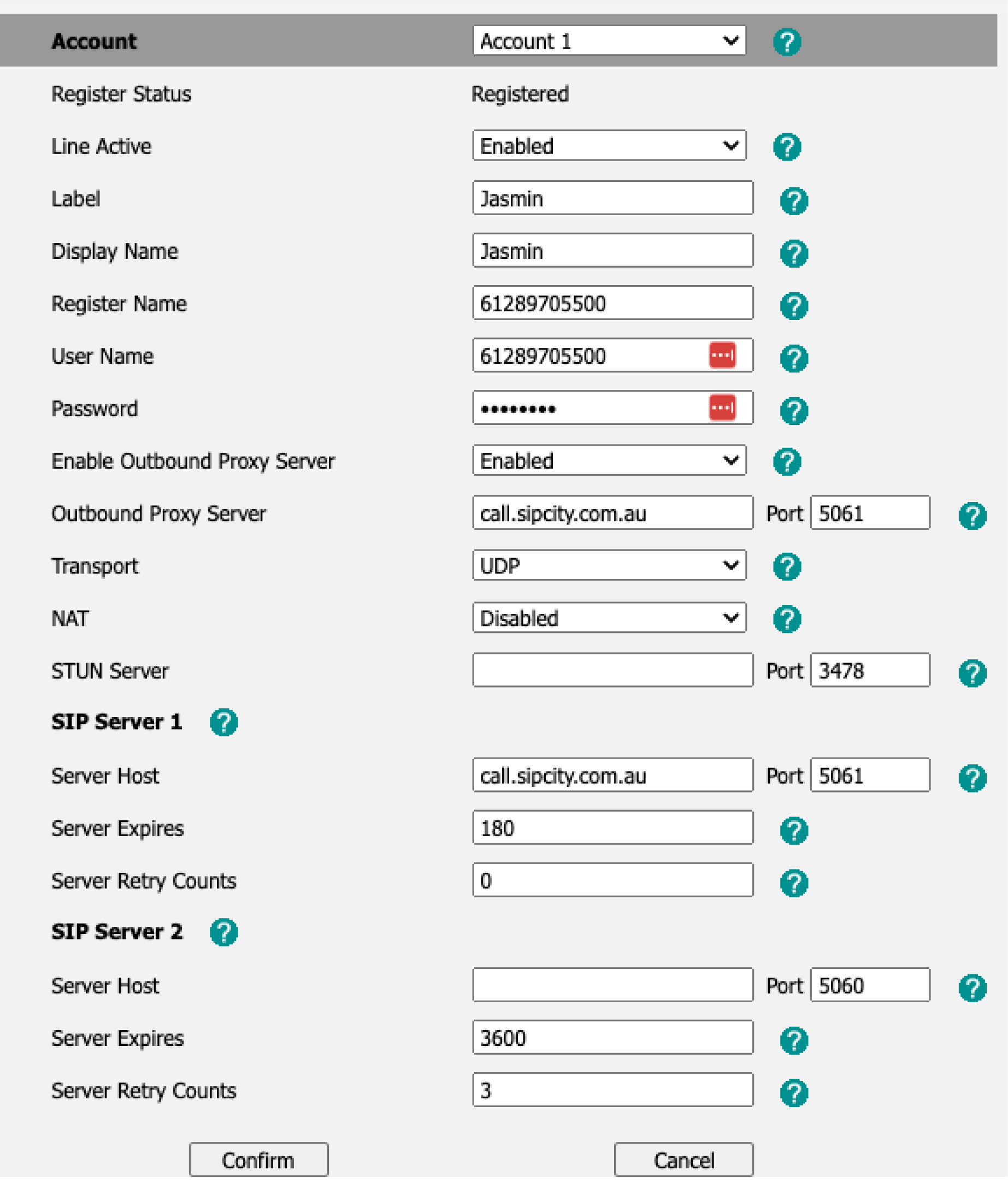
  • Proxy Server: plus.2talk.com
  • Username / Account ID / Authentication ID: Full 2talk phone number
  • Password: The SIP password for the number
  • Transport: TLS 5061 or UDP 5060
  • Registration expiry: 180 seconds, if configurable
  • Register with proxy: Yes
  • Make calls without registration: No

Registration settings

SIP peering

SIP peering uses a trusted static WAN IP address instead of username and password registration. It is typically used for IP PBX systems with a fixed public IP address.

  • SIP Peering IP: 27.111.12.66
  • Recommended firewall range: 27.111.12.0/24
  • Ports: UDP 5060 or TLS 5061

Peering modes

  • Global SIP Peering: Routes all numbers on the account to one customer IP address.
  • Standalone Peering: Routes one number to a specific customer IP address.
  • Trunking: Uses registration with a trunking number so a PBX can present caller ID for multiple numbers on the account.
Table of Contents