Mobile App
Experience ultimate mobility
Learn more

Mobile App
Experience ultimate mobility
Cloud Communications and VoIP Calling
SIP capture helps diagnose how calls are being presented to 2talk. This is most useful for SIP peering, trunking, caller ID presentation, and billing header issues.
SIP peering connects your IP PBX to 2talk using a trusted static WAN IP address. Registration uses a username and password instead.
After peering is enabled, 2talk allows traffic from your approved WAN IP. You should also restrict SIP access on your firewall to the 2talk SIP range.
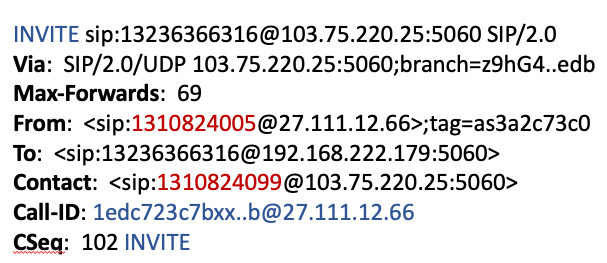


X-Billable-Party can identify the billable number when a centralized PBX hosts multiple customers over SIP peering.
Format the header with the billable number:
X-Billable-Party: 13108240011
